



What is virtual machine migration? Benefits, forms, and migration solutions
May 28, 2026Virtual machine migration is an important solution that helps businesses optimize their IT infrastructure, ensuring readiness and flexibility when operating systems in on-premise and cloud environments. The following article by Vcloudia will help you clearly understand the concept, forms of virtual machine migration, benefits, challenges, as well as practical applications in modern enterprises.
What is virtual machine migration?
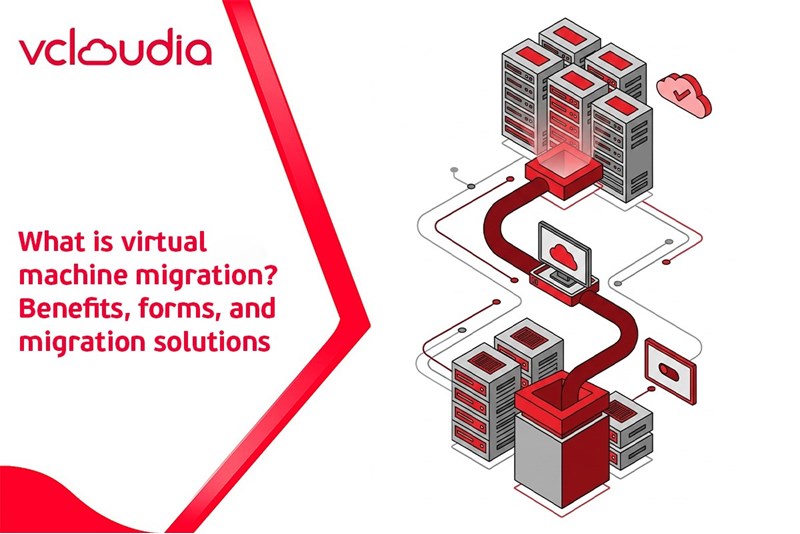
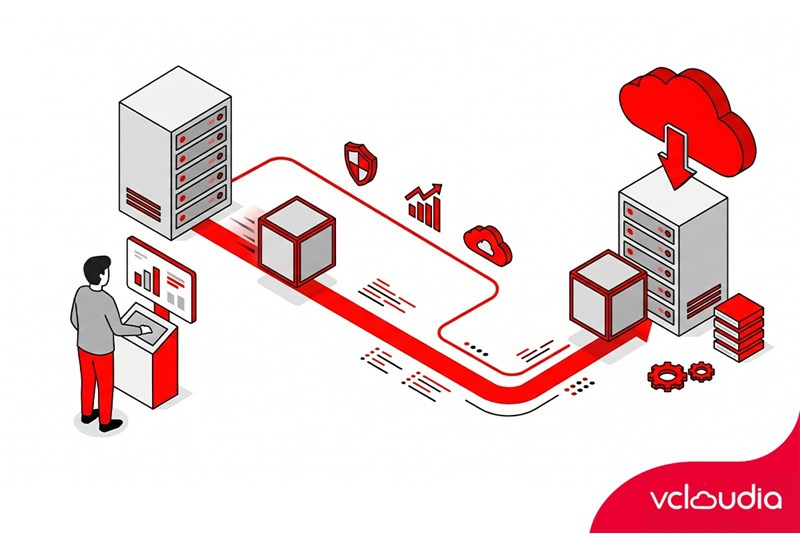
Virtual Machine Migration is the process of moving a virtual machine from one physical or virtualized environment to another. The goal of virtual machine migration is to ensure that the system operates stably, flexibly, and optimizes resources without affecting service performance. VMs can be moved within the same data center, between data centers, or between on-premises and cloud environments.
According to a Red Hat survey (2025), 85% of businesses are using a hybrid cloud model and 72% are simultaneously deploying multiple different cloud providers. Most organizations have virtualized more than half of their IT infrastructure. This trend shows that a diverse IT environment (on-premise + virtual private cloud + public cloud) is dominating, therefore the need for VM migration between environments will become even greater.
The most common forms of virtual machine migration
Currently, virtual machine migration is usually carried out in two main forms, depending on the technical requirements and the readiness level of the system.
Disaster Recovery Migration
Virtual machine migration during an incident is the method of moving the system to a backup environment when the primary infrastructure experiences serious incidents such as hardware failure, power outages, natural disasters, or wide-area network issues. The core objective is to restore services as quickly as possible, while simultaneously minimizing the impact on business operations.
In the Disaster Recovery (DR) model, virtual machines are typically backed up or replicated to a backup site, which can be a secondary data center or a cloud platform. Thanks to previously synchronized data, businesses can significantly shorten recovery times and limit data loss when an incident occurs.
The migration process in a DR scenario typically includes the following main steps:
- Preparation and data synchronization: The system continuously or periodically copies VM data from the primary site to the backup site. In the case of a prior plan, a final synchronization will be performed to ensure the data is in the latest state.
- Handling VMs at the primary site: If the primary infrastructure is still operational (planned failover), VMs will be safely shut down to prevent the generation of new data. With an unexpected incident (unplanned failover), this step is skipped due to the inability to access the source system.
- Activating storage at the backup site: The copied data is "promoted" to allow writing in the new environment, helping the VM to boot and operate independently.
- Launching VMs at the backup site: Virtual machines are registered and started according to priority, in which critical applications are restored first. Network configurations such as IP or DNS are adjusted to suit the new environment.
- System testing and completion: After the VM is operating stably, administrators check applications, connections, and data flows. When the primary site is ready, a failback can be performed to bring the system back to its original environment.
Live Migration
Live migration is a technique that allows an active virtual machine to be migrated from one server to another with users hardly noticing the change. This technology is widely deployed in modern virtualization platforms to ensure high availability for the system.
Live migration is particularly useful in situations of hardware maintenance, infrastructure upgrades, or resource load balancing, when the VM still needs to maintain a continuous operational state.
The process of performing live migration:
- Initial memory copying: The source server begins copying the VM memory to the destination server. Changed memory pages will be resent multiple times to reduce the remaining data.
- Pausing and transferring state: When the data is nearly fully synchronized, the VM is paused for a very short time to transfer the remaining CPU and memory states.
- Resuming on the new server: The destination server activates the VM with the entire received state. From the perspective of the guest operating system, this process occurs seamlessly.
- Updating network connection: The system updates MAC/IP information to ensure network traffic is correctly routed to the new server.
Benefits of performing virtual machine migration
Virtual machine migration brings many practical values to businesses and IT organizations, especially in the context of expanding infrastructure and shifting to the cloud.
- Optimizing infrastructure resources: Helps balance the load among servers, rationally allocate CPU, RAM, and storage, improving performance and avoiding hardware waste.
- Disaster recovery capability: Allows for the rapid movement of virtual machines to alternative infrastructure or a cloud environment when an incident occurs, helping services resume operations early without losing data.
- Reducing interruptions and maintenance costs: Live migration supports system maintenance and upgrades with nearly zero downtime, while simultaneously reducing investment and operational costs. Research from DigitalOcean also shows that 70% of small and medium-sized enterprises view virtual machine migration as a crucial strategy for cost optimization.
- Flexible resource scaling: Easily increasing or decreasing resources according to actual needs without needing to invest in additional physical servers.
- Enhancing security and data backup: Utilizing security solutions, automatic backups, and recovery, helping to reduce the risk of data loss and ensuring long-term safety.
Challenges when migrating virtual machines
Virtual machine migration brings many benefits, but the deployment process is not always simple. Businesses need to clearly identify technical and operational barriers to have a suitable migration plan.
- Infrastructure compatibility: Old systems may use hardware, software, or legacy applications that are incompatible, forcing customization or re-optimization prior to migration.
- Downtime and service interruption: Some forms of migration still require downtime, which can affect critical applications and user experience.
- Licensing costs and complex management: Businesses must recalculate software licenses and face managing multiple different platforms, tools, and policies.
- Security and regulatory compliance: Moving data to a new environment requires complying with legal regulations and establishing security mechanisms such as VPNs, VPCs, and access controls.
- Human factors and skills: The IT team needs knowledge of both traditional virtualization and the cloud; a lack of skills is a major barrier during the migration process.
Common virtual machine migration tools and solutions
To deploy virtual machine migration effectively, businesses can choose from many specialized tools and services from major providers. Each solution is suited to different infrastructure environments and transformation goals.
VMware vMotion
VMware vMotion or VMware migration is one of the oldest and most stable live migration technologies. The solution allows the movement of active virtual machines between ESXi servers without disrupting services.
Thanks to its automatic load balancing capability and flexible virtual machine state transfer, vMotion is often used in maintenance, upgrade, or VMware infrastructure optimization scenarios.
AWS Application Migration Service
For the Amazon Web Services environment, AWS Application Migration Service (MGN) provides a method for moving applications and servers from on-premise, VMware, Hyper-V, or other clouds to AWS.
The virtual machine migration service supports continuous data replication, automatically converting configurations to be compatible with EC2 infrastructure. This significantly reduces manual operations and limits downtime during the transition phase.
Azure Migrate
In the Microsoft ecosystem, Azure Migrate plays the role of a central platform for system assessment and migration. This tool fully integrates steps from infrastructure discovery and cost analysis to movement and post-migration optimization. Thanks to its support for phased virtual machine migration, businesses can proactively transform their systems to Azure, limiting the risk of service disruption.
Google Migrate for Compute Engine
With Google Cloud, Google Migrate for Compute Engine is designed to handle large-scale migration scenarios. The tool allows moving virtual machines from on-premise, VMware, or other cloud platforms such as AWS and Azure to Google Compute Engine. The continuous data replication mechanism while the virtual machine is still operating helps shorten interruption time and ensure system stability.
Other virtualization services
Besides major platforms, many other virtualization and infrastructure management solutions such as Hyper-V Replica, Zerto, or hybrid cloud management tools are also widely used. These solutions support planning and testing prior to the official transition and partially automate the process, helping the migration take place more safely and accurately.
Applications of virtual machine migration in enterprises
In recent years, virtual machine migration has become an important pillar in the IT infrastructure modernization strategies of businesses. The robust development of virtualization and cloud computing is changing how organizations build, operate, and scale their IT systems.
Experian, a credit data services company in the US, used to operate its infrastructure primarily on VMware on-premise. Facing the need to process large volumes of data and deploy AI models, Experian migrated the majority of its systems to AWS. Thanks to the flexible scalability of the cloud, they can automatically increase resources during peak periods and apply Infrastructure as Code to automate configuration, enhancing consistency and security.
Capital One is also a prime example in the financial sector. Within eight years, this enterprise has migrated and re-architected more than 2,000 applications to AWS. The resulting outcomes are very clear: Disaster recovery time was significantly shortened, the transaction error rate decreased by about 50%, and the deployment time for development environments was strongly improved.
In Europe, Unilever collaborated with Microsoft Azure to implement a large-scale digital transformation project, bringing its entire IT infrastructure to the cloud. Thanks to Azure, this enterprise can connect disparate data systems, improving its forecasting capabilities and reacting faster to market fluctuations.
Conclusion
Virtual machine migration has become a crucial strategy helping businesses optimize costs, increase scalability, ensure availability, and promote technological innovation. However, for the migration process to achieve high efficiency, businesses need to select suitable platforms, ensuring security factors, performance, and long-term manageability.
Vcloudia Cloud Server – The Cloud You Can Count On
If you're concerned about the potential limitations of Cloud Servers, Cloud server by Vcloudia is a reliable solution for businesses of all sizes. With a modern infrastructure and comprehensive customer support, Vcloudia delivers a cloud experience with:
- Powerful connectivity to ensure stable 24/7 access
- Advanced security standards, compliant with international certifications such as ISO 27001:2013, ISO 20000:2018, ISO 9001:2015
- Flexible pricing packages tailored to your specific business needs
- Expert technical support, making migration and system deployment fast, safe, and compatible
Contact information:
- Hotline: +855 888 55 66 08 (free of charge)
- Fanpage: https://www.facebook.com/vcloudia/
- Website: https://vcloudia.com
Related news
What is Cloud Analytics? Benefits and cloud data analytics tools
Cloud Analytics is an analytical model in which data is processed and analyzed directly on cloud infrastructure, combining BI and AI/ML tools to generate insights without needing to deploy an on-premise analytics system. As a result, businesses reduce operating costs, increase analysis speed, and make data-driven decisions in real-time.
What is Cloud Lifecycle? The main stages of cloud lifecycle management
The cloud lifecycle describes the entire cycle of managing an application, service, or data on a cloud computing environment. Clearly managing the cloud computing lifecycle helps businesses deploy systems methodically, limit resource waste, and improve long-term operational efficiency.
What is Hyper-V Virtualization? Learn about Microsoft's virtualization technology
Hyper-V virtualization is a virtualization technology developed by Microsoft, allowing the creation and management of multiple virtual machines on a single Windows server. Hyper-V helps businesses optimize hardware resources, increase flexibility, ensure security, and serves as an important platform for building private cloud and hybrid cloud in modern IT environments.
What is a tower server? How to choose a tower server for businesses
A tower server is an independent server with a vertical design similar to a PC but optimized for continuous operation, centralized storage, running internal applications, and deploying virtualization. With reasonable costs, flexible upgrade capabilities, and easy management, tower servers are a popular choice for small and medium-sized enterprises.
Detailed step-by-step guide to checking cloud server bandwidth
Checking Cloud Server bandwidth helps administrators, DevOps, and VPS users ensure network transmission performance, detect bottlenecks, and optimize infrastructure costs. Vcloudia will provide detailed instructions on how to check using different tools in the article below.
What is cloud bursting? Exploring the mechanism, operation, and deployment
Cloud bursting is a technique that allows an internal system to automatically scale to the public cloud when demand surges, helping to maintain performance without the need to invest in additional physical servers.
Applications of Cloud Computing in the Healthcare Industry
The application of cloud computing in healthcare is ushering in a new era of improved service quality, optimized hospital operations, and comprehensive digital transformation across the medical sector. This is no longer a distant trend; it has become an essential component of the technological revolution in healthcare.
Can Cloud Servers Fully Replace Physical Servers? A Practical Analysis for Businesses
In today’s era of digital transformation, businesses are constantly seeking ways to optimize their technology infrastructure to improve operational efficiency. One of the most frequently asked questions is: “Can Cloud Servers completely replace physical servers?”
Cloud Server vs VPC: Which Solution Should Startups Choose to Optimize Cost and Performance?
Should a startup choose Cloud Server or VPC? This is a common question many founders and technology managers face when building infrastructure for their new businesses. The right choice not only helps optimize costs but also ensures stable performance and flexible scalability when needed.