



.png)



















.png)





What is Cloud Analytics? Benefits and cloud data analytics tools
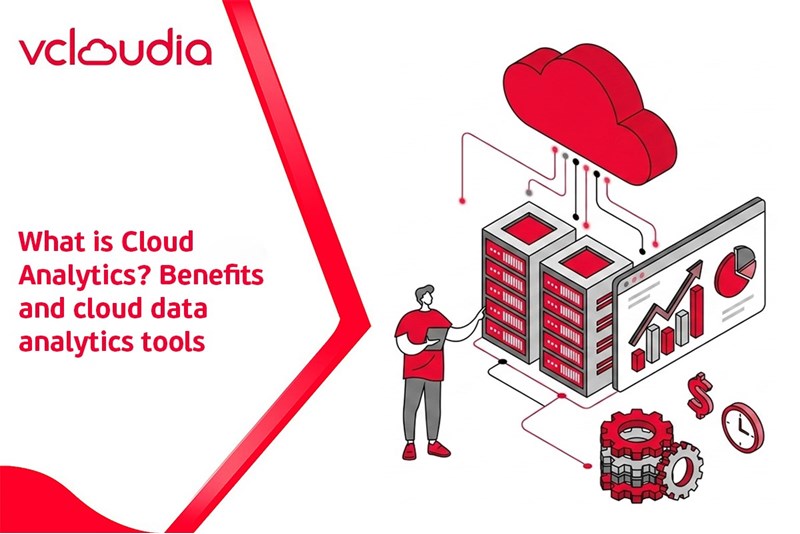
May 28, 2026Cloud Analytics is an analytical model in which data is processed and analyzed directly on cloud infrastructure, combining BI and AI/ML tools to generate insights without needing to deploy an on-premise analytics system. As a result, businesses reduce operating costs, increase analysis speed, and make data-driven decisions in real-time. Join Vcloudia to explore in more detail what Cloud Analytics is in the following article.
What is Cloud Analytics?
Cloud analytics is a method of data analysis on cloud computing platforms, where the entire process of collecting, storing, processing, and visualizing data is performed through cloud services instead of an internal server system. By leveraging cloud infrastructure, cloud analytics helps businesses analyze cloud data in real-time, scale flexibly according to size, reduce infrastructure investment costs, and support faster, more accurate data-driven decision-making.
Deployment and operation process of Cloud Analytics
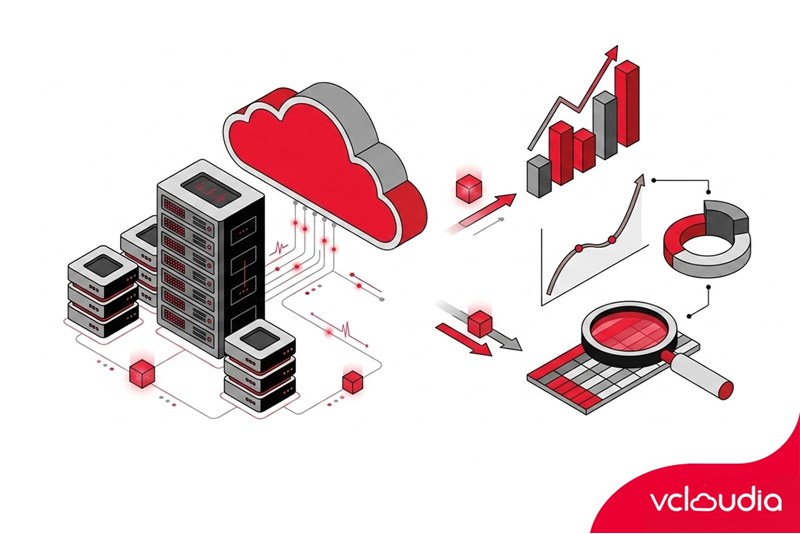
Cloud Analytics works by collecting, storing, and processing data on the cloud infrastructure of service providers. Consequently, users can access and analyze data from anywhere through powerful tools like BI and AI/ML to generate real-time business insights. The specific process includes:
Data collection
Data from various sources (transactional databases, websites, social networks, IoT sensors, etc.) is connected and transmitted to the cloud system. This process can take place in real-time or in batches, depending on the demand.
Cloud storage and processing
After being centralized, data is securely stored in cloud data repositories or cloud-based data warehouses (for example: Amazon Redshift, Google BigQuery, Microsoft Azure SQL Data Warehouse, Snowflake). Cloud servers with powerful computing capabilities will process and organize the data into appropriate models
Analysis and visualization
Cloud analytics tools (cloud data analysis software) are used to access and analyze the stored datasets. Specialists or AI/ML systems can run queries and algorithms to discover patterns, trends, and anomalies in the data.
The analysis results are displayed through online interactive charts, reports, and dashboards. Users can create charts, dashboards, and even machine learning applications right within the cloud environment.
Insight distribution and data-driven decision support
Because the entire process takes place on the cloud, user groups everywhere can simultaneously access real-time updated dashboards and reports to support decision-making. Thanks to the online nature, collaboration and information sharing between departments become easier and more unified.
Popular types of cloud data analytics
Depending on IT needs and strategies, businesses can deploy cloud analytics systems according to the following models:
Public Cloud
Public Cloud Analytics is the most common cloud data analytics model, in which businesses use infrastructure provided by third parties such as AWS, Google Cloud, or Microsoft Azure. Multiple organizations share resources on the cloud platform under a multi-tenant architecture, but each business's data remains isolated and secure.
This model provides high flexibility, rapid scalability, and low costs, as businesses only pay for the actual resources used. Public Cloud is particularly suitable for businesses wanting quick deployment without needing large initial infrastructure investments.
Private Cloud
Private Cloud Analytics is a dedicated cloud deployment model that exclusively serves a single business. The entire infrastructure, such as servers, storage, and computing resources, is dedicated and not shared with other organizations.
The private cloud can be located at an internal data center or operated by a provider while still ensuring complete isolation. The biggest advantage of this model is full data control, high security, and flexible customization, making it suitable for sectors with strict compliance requirements such as finance, banking, or healthcare. However, investment and operating costs are typically higher compared to the public cloud.
Hybrid Cloud and Multi-cloud
Hybrid Cloud Analytics combines public and private clouds (or on-premises systems) to leverage the advantages of both models. Typically, less sensitive data or tasks will be analyzed on the public cloud to optimize costs and scalability, while sensitive data is processed on the private cloud or internal systems.
The hybrid cloud model helps businesses balance flexibility, security, and cost-efficiency, which is especially suitable for large organizations with complex data analytics needs and high governance requirements.
What are the benefits of cloud analytics?
Cloud data analytics is becoming the preferred choice for many businesses thanks to its ability to optimize costs and enhance operational efficiency. Additionally, it creates a foundation for modern working and data-driven decision-making.
Cost optimization and shortened return on investment (ROI) time
Cloud Analytics helps businesses sharply reduce initial investment costs as there is no need to purchase servers or maintain on-premises infrastructure. Thanks to the pay-as-you-go model, businesses only pay for the actual resources used.
In fact, 82% of small and medium-sized enterprises reported significant cost savings after moving to the cloud. A Forrester study recorded an ROI of up to 209% over three years when deploying a cloud analytics platform.
Increased work efficiency in remote and hybrid environments
With Cloud Analytics, employees can access reports and data from anywhere, on any device, with a clear authorization mechanism. This is particularly suitable for the current trend of remote and hybrid work.
Easier collaboration
Cloud Analytics platforms allow users to share dashboards, add comments, and discuss directly on the data. As a result, teams can jointly make decisions based on the same source of information, either in real-time or asynchronously.
Rapid access to advanced analytics technologies
With cloud data analytics, all updates and upgrades are automatically performed by the provider. Businesses can always use new features such as AI, machine learning, or predictive analytics without system downtime. According to IDC, IT operating costs on the cloud are about 51% lower than the on-premises model, mainly due to the elimination of manual maintenance and update costs.
Flexible performance, scaling on demand
Cloud Analytics allows rapid scaling up or down of performance according to the actual data volume. When demand increases, businesses can scale up immediately; when demand decreases, resources are scaled down to avoid waste. This is considered the top reason many businesses choose cloud solutions, as the system always operates optimally without redundant investments.
High reliability and security
Cloud Analytics platforms operate on a SaaS model, helping to reduce security risks by limiting manual configuration. Thanks to backup and recovery mechanisms along with high uptime commitments, business data is safely protected, and the system is always ready.
Centralized data, maximizing insight extraction
Cloud Analytics helps centralize data from various systems such as ERP, CRM, and marketing onto a single platform, eliminating data silos. As a result, businesses gain a more comprehensive view of business operations and make more accurate decisions.
According to Forrester, 73% of enterprise data today remains unexploited, mainly due to data fragmentation. Cloud data analytics helps turn this wasted data into valuable insights for the entire organization.
The most popular cloud data analytics tools
Today, businesses increasingly prioritize using cloud data analytics tools to extract value from data quickly, flexibly, and cost-effectively. Each cloud analytics tool has its own strengths in data processing capabilities, visualization, and system integration, fitting different business sizes and needs.
How to choose a cloud data analytics tool effectively
Choosing the appropriate platform directly impacts the effectiveness of data analysis and the business's decision-making capabilities. Below are the important criteria when selecting the right solution.
Flexibility and data suitability
Businesses need to assess whether the Cloud Analytics platform effectively supports the types of data and analytical problems currently in use. A suitable solution should process multiple formats such as relational data, unstructured data, and streaming data, while adapting to current analytical workflows. Additionally, flexible resource adjustment capabilities (increasing/decreasing computing power and storage capacity) are a crucial factor in meeting workloads that change over time.
Cost and pricing model
When choosing a cloud data analytics tool, consider the total cost of ownership, not just the monthly subscription price but also storage, scalable computing, and operational costs. Many platforms adopt a pay-as-you-go model, so estimating long-term needs is necessary to control the budget effectively. Utilizing free trials will help accurately assess cost-effectiveness before official deployment.
Ease of use and user experience
A platform with an intuitive, easy-to-use interface will help businesses deploy quickly and improve internal adoption rates. Features like drag-and-drop report creation and clear dashboards shorten training times and allow non-IT users to participate in data analysis. At the same time, tools with comprehensive documentation and good support systems should be prioritized.
Scalability and performance
The Cloud Analytics solution must ensure stable performance as data and user numbers grow. Businesses should check scalability in terms of storage capacity, concurrent users, and query processing speed. Besides scaling data, the platform should also be ready to integrate AI and machine learning when advanced analytical needs arise in the future.
System integration capability
An effective cloud analytics tool must integrate well with existing systems such as databases, ERP, CRM, or other cloud services. Available connectors and flexible API connectivity capabilities will help synchronize data quickly, limiting disruptions during deployment. For businesses using hybrid or multi-cloud models, prioritizing platforms that support analytics across various cloud environments is recommended.
Data security and compliance
Security is an indispensable criterion when exploring what cloud analytics is. Businesses need to choose solutions with features such as data encryption, access management, and granular permission controls. Concurrently, the platform must meet compliance standards relevant to the industry, such as GDPR, HIPAA, or PCI-DSS, helping to ensure data safety and maintain strict data governance.
Conclusion
Through the article above, you have gained a comprehensive view of what Cloud Analytics is, its deployment models, as well as its outstanding benefits for businesses. With capabilities to optimize costs, scale flexibly, enhance collaboration, and support data-driven decision-making, this tool is becoming a crucial foundation in current digital transformation strategies. To implement Cloud Analytics effectively, businesses need a stable, secure, and easily scalable cloud infrastructure.
Vcloudia Cloud Server – The Cloud You Can Count On
If you're concerned about the potential limitations of Cloud Servers, Cloud server by Vcloudia is a reliable solution for businesses of all sizes. With a modern infrastructure and comprehensive customer support, Vcloudia delivers a cloud experience with:
- Powerful connectivity to ensure stable 24/7 access
- Advanced security standards, compliant with international certifications such as ISO 27001:2013, ISO 20000:2018, ISO 9001:2015
- Flexible pricing packages tailored to your specific business needs
- Expert technical support, making migration and system deployment fast, safe, and compatible
Contact information:
- Hotline: +855 888 55 66 08 (free of charge)
- Fanpage: https://www.facebook.com/vcloudia/
- Website: https://vcloudia.com
Featured news
Related news
What is a Snapshot? The Difference Between Snapshot and Backup
Snapshot is a familiar concept in data management and protection. In the context of the information technology boom, where data is a major asset for businesses, understanding Snapshots as well as their application is a key factor for enterprises to maximize technological efficiency.
What is a Firewall? The Role and Importance of Firewalls for Users
In the context of ever-increasing cyberattacks, system security has become a top priority for many enterprises. Alongside deploying antivirus software and controlling connection ports, firewalls are also considered a key solution to effectively enhance cybersecurity.
What is DDoS? Signs, Mitigation Strategies, and Effective Prevention
DDoS is a highly dangerous cyberattack that leaves severe consequences for enterprises. Therefore, gaining a clear understanding of DDoS attacks, as well as how to detect and prevent them, is a topic of significant interest to many.
What is a Trojan? How to Detect, Avoid, and Prevent It
A Trojan is a type of malicious code or software that can cause severe consequences to computer operations. So, what is a Trojan? How can you prevent a Trojan from infiltrating your computer? In the following article, Vcloudia will provide detailed information on these issues.
What is Cloud Backup? Classification, benefits, and limitations
Cloud Backup is a solution that plays an important role in backing up and recovering data when an incident occurs. So what exactly is Cloud Backup? Let's find out the details with Vcloudia in the following article.
What is Cloud Storage? Features and Benefits of Using It
Cloud Storage is the perfect storage solution alternative to bulky, space-consuming physical hard drives. So, what is Cloud Storage? Let's explore the details with Vcloudia through the following article.
What is an API? Characteristics and applications in website design
API, short for Application Programming Interface, is a concept no longer unfamiliar in the information technology field. So what exactly is an API and why is it so important? Let's find out with Vcloudia.
What is Node.js? Instructions on how to install Node.js on cPanel
Currently, it is easy to see that Node.js is being used by quite a lot of people. This is because Node.js can support users in running on multiple platforms and multiple devices.
What is Vultr VPS? Should you use Vultr VPS?
Vultr VPS is one of the best cloud storage solutions in the world. In this article, you will learn the concept: "What is Vultr VPS?", as well as understand its advantages and disadvantages.
Zoom Cloud Meeting: What is it? Basic Things You Should Know About Zoom Cloud Meeting
In 2020, Zoom Cloud Meeting became one of the leading video conferencing software applications. It allows you to virtually interact with colleagues when in-person meetings aren't possible, and it has also been very successful for social events.