



Can Cloud Data Be Synchronized To A Server?
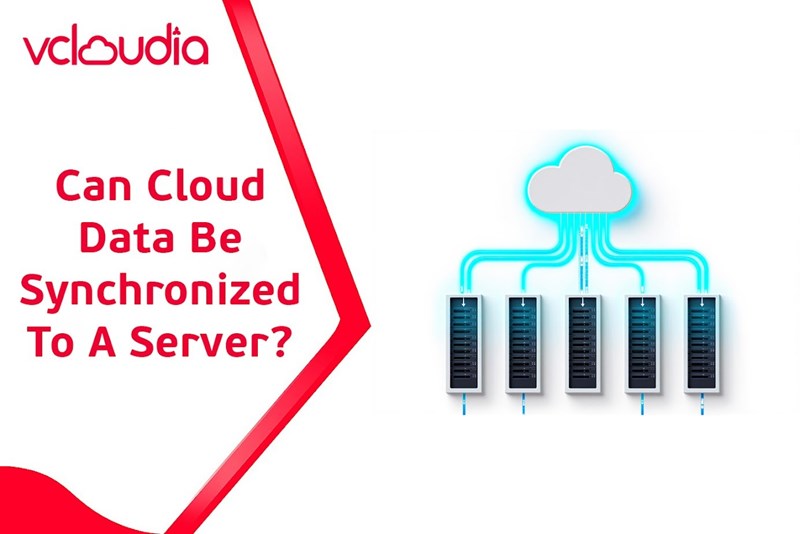
Nov 27, 2025In today’s digital age, synchronizing cloud data with servers has become an essential component of data management for businesses and organizations. This combination enhances flexibility, security, and data accessibility anytime, anywhere—thereby boosting operational efficiency and fostering innovation. So, can cloud data truly be synchronized with servers? Let’s explore this with Vcloudia.
The Importance of Cloud Data Synchronization
In the modern digital world, data is the most valuable asset of any organization. Keeping data updated, consistent, and secure is a key factor for success. Synchronizing cloud data with servers helps eliminate data loss risks, reduces processing time, and enhances responsiveness to market changes. At the same time, it ensures business continuity, minimizes downtime, and improves customer experience.
Beyond ensuring data availability, synchronization enables staff to easily access and share internal information, promoting collaboration and creativity. This method also helps reduce storage costs, optimize IT infrastructure, and create a clear competitive advantage. Overall, synchronizing cloud data with servers forms the foundation for sustainable development, connectivity, and adaptability in any organization.
What Is Data Synchronization?
Data synchronization is the process of updating and maintaining consistency of data across two or more systems to ensure that all information accurately reflects its current state. This process may occur in real time or at scheduled intervals, depending on organizational needs.
When data is synchronized, all systems share the same dataset—reducing conflicts, duplication, and missing information. In cloud computing environments, synchronization becomes more complex because data may be distributed across various services, locations, and platforms. Therefore, appropriate tools and methods are required to keep data consistently updated. The greatest benefit of synchronization is the creation of a coherent and unified data ecosystem that significantly improves operational efficiency.
So, Can Cloud Data Be Synchronized To A Servers?
This is a central question for many businesses when choosing their data management strategy. In principle, cloud data can absolutely be synchronized with servers, as long as proper tools and methods are in place. The flexibility of cloud platforms combined with the customization capability of server systems makes integration and data synchronization easier than ever.
However, to achieve optimal performance, factors such as data type, synchronization frequency, security requirements, and scalability must be carefully considered. Additionally, organizations must assess risks related to latency, version conflicts, and access permissions. In short, synchronization is feasible, but it requires thorough planning in terms of both technology and strategy—opening major opportunities for organizations seeking to optimize data management, reduce manual work, and enhance security.
Common Methods for Syncing Cloud Data With Servers
There are various methods to achieve cloud–server data synchronization, each suited to different organizational needs. Below are the most common and effective approaches today:
1. Using Cloud Sync Services
Cloud sync platforms like Google Drive, Dropbox, or OneDrive allow real-time or scheduled data synchronization. These services come with built-in security, access management, and flexible scalability.
Advantages:
- Easy setup
- Quick to use
- Suitable for most business environments
Limitations:
- Limited customization
- Data security concerns due to third-party reliance
- Best suited for small or medium organizations without specialized requirements.
2. Using Server-Specific Sync Tools
Tools like rsync, Syncthing, or enterprise data management systems (DMS) offer high customization with detailed control over transfer rules, selective synchronization, and data processing.
Advantages:
- High flexibility
- Ideal for businesses with strict data governance
Limitations:
- Requires strong IT expertise
- More complex to configure and maintain
3. Using Custom Protocols and APIs
Some organizations use FTP, SFTP, or APIs to build tailor-made synchronization systems—particularly suitable for highly specialized environments that require deep integration.
Advantages:
- Flexible
- High integration capability
- Performance optimization
Limitations:
- Requires advanced programming and networking skills
- Higher development cost and time
4. Database Replication
Database replication copies full or partial datasets to another server, maintaining synchronized states as data changes. This is common in large systems requiring real-time data processing.
Advantages:
- Excellent for distributed systems
- Enhances redundancy and recovery capability
Limitations:
- Requires strong hardware
- Must handle data conflicts and latency
5. Distributed File Systems
Systems like Hadoop, GlusterFS, or Ceph allow efficient handling of large-scale distributed data across cloud and on-premises environments.
Advantages:
- High scalability
- Built-in redundancy
- Parallel data processing
Limitations:
- High technical complexity
- Significant initial investment
- Ideal for large enterprises or data-intensive projects such as AI or big data analytics.

Basic Steps to Implement Cloud–Server Data Synchronization
1. Prepare the Receiving Server
This includes hardware upgrades, installing required software, setting baseline security standards, and configuring access control modules—all ensuring stable and secure data reception.
2. Configure Sync Tools
Set up software, processing rules, sync frequency, monitoring, and reporting. Proper configuration reduces errors and ensures timely updates.
3. Schedule Synchronization
Creating appropriate schedules optimizes performance and avoids interruptions. Syncing can occur during low-traffic periods or in real time.
4. Handle Data Conflicts
Define clear rules—such as prioritizing the latest data or based on user permissions—to maintain data integrity and avoid inconsistencies.
Benefits of Cloud–Server Data Synchronization
- Ensures data availability, consistency, and security
- Supports seamless operations and improves competitiveness
- Reduces management costs and speeds up decision-making
- Enables smooth remote work and global collaboration
- Enhances disaster recovery and prevents data loss
- This makes synchronization an essential trend for modern organizations seeking agility and resilience.
Limitations and Challenges
- High initial investment, especially for complex systems
- Security risks such as data leaks, cyberattacks, and unauthorized access
- Latency, scalability, and conflict management issues during synchronization
These require strong technical strategies to avoid operational disruptions and data inconsistencies.
Conclusion
In today’s digital transformation era, synchronizing cloud data with servers is the key to ensuring efficient, secure, and flexible operations. With the right strategies and proper implementation, organizations can fully leverage the benefits of improved data management, security, and collaboration.
However, to achieve sustainable results, businesses must understand the limitations, prepare thoroughly in technology, human resources, and budget, and build a long-term roadmap. Only then can cloud–server data synchronization deliver true long-term value and support growth in the digital age.
Looking for a high-performance, secure solution?
Explore the services offered by Vcloudia – a leading provider of cloud computing and data center solutions. Contact us for expert consultation and find the right model for your needs:
- Hotline: +855 888 55 66 08 (free of charge)
- Fanpage: https://www.facebook.com/vcloudia/
- Website: https://vcloudia.com
Related news
What Is FaaS? Everything You Need to Know About Function-as-a-Service
In a world where technology is constantly evolving and shifting at high speed, FaaS has become an important concept, opening up new opportunities for developers and businesses to optimize application performance. In this article, vCloudia helps you understand what FaaS is, how it works, its benefits, and its practical applications.
What Is SaaS? Everything You Need to Know About Software-as-a-Service
SaaS (Software-as-a-Service) has become a crucial component of the global digital transformation trend, offering numerous advantages over traditional software models. In this article, let’s explore with vCloudia the concepts, roles, operating mechanisms, and future trends of the SaaS model.
What Is a Cloud Firewall? Why It Is Essential and Important
In today’s technology-driven world—where data and online services are expanding at an unprecedented pace—Cloud Firewalls have become an indispensable component of enterprise cybersecurity strategies.
What Is PaaS? Key Insights into Platform as a Service
In today’s rapidly evolving digital era, both businesses and developers are seeking optimal solutions to build software quickly, efficiently, and cost-effectively. One of the most prominent solutions is PaaS – Platform as a Service. Let’s explore it in detail with Vcloudia in the following article.
What is IaaS? Everything You Need to Know About Infrastructure as a Service
IaaS, short for Infrastructure as a Service, is one of the most widely used cloud computing models today. It offers businesses numerous benefits in terms of flexibility, scalability, and cost efficiency. This article will help you better understand what IaaS is, its key components, advantages, disadvantages, and real-world applications.
Cloud Server vs Dedicated Server: What Are the Differences?
In this article, we will take a deep dive into a detailed comparison between Cloud Servers and Dedicated Servers to help you make the most accurate and optimal choice for your business or project. Let’s explore this topic with Vcloudia right now.
How To Build Your Own Cloud Server?
In this article, Vcloudia will provide a detailed, step-by-step guide on how you can build your own cloud server—from the initial preparation stages and choosing the right deployment model, to common errors and how to fix them.
What Is Cloud Architecture? Components and How It Works in Detail
Cloud architecture is the foundation of modern technology services, enabling businesses and individuals to optimize data storage, processing, and service delivery over the internet in a flexible and cost-efficient manner. Let’s explore this concept in depth with Vcloudia.
What Is Multi Cloud? How It Works, Along With Its Advantages and Disadvantages
In today’s digital era, businesses are constantly seeking optimal solutions to enhance operational efficiency, minimize risks, and maximize profitability. One increasingly popular strategy is Multi Cloud. In this article, Vcloudia explores Multi Cloud in depth — from theory to real-world applications.