



.png)



















.png)





Cloud Server vs Dedicated Server: What Are the Differences?
Nov 17, 2025In this article, we will take a deep dive into a detailed comparison between Cloud Servers and Dedicated Servers to help you make the most accurate and optimal choice for your business or project. Let’s explore this topic with Vcloudia right now.
Definitions of Each Server Type
Before comparing them, let’s take a closer look at the characteristics and functions of each server type. This will help you better understand their purpose, how they operate, and the models behind these systems.
1. Cloud Server
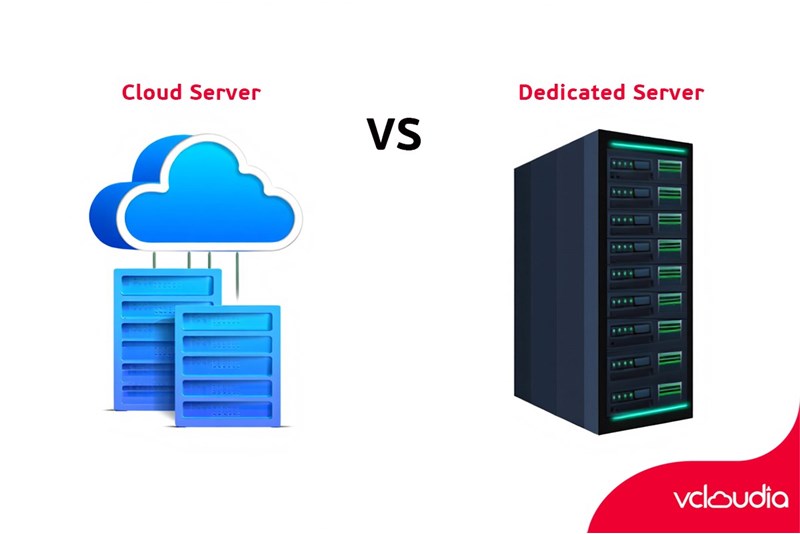
A Cloud Server—also known as a cloud-based server—is a type of server built on cloud computing technology. The management and operation of Cloud Servers are typically provided as a service by major providers, using virtualization technology to divide physical resources into flexible, scalable virtual servers.
Cloud Servers are not tied to fixed hardware. Instead, they rely on large data centers capable of distributing resources according to user demand at any given time. The key advantage of Cloud Servers is their rapid and flexible scalability—ideal for growing businesses or projects with highly variable workloads.
2. Dedicated Server
A Dedicated Server, or private server, is a standalone physical machine exclusively owned and used by a single customer. All resources—CPU, RAM, storage, and bandwidth—are not shared with any other user, delivering maximum stability and security.
Dedicated Servers are most suitable for enterprises, large organizations, or websites with high traffic volumes, large-scale data processing, or strict system control requirements. While less flexible than Cloud Servers, this traditional approach offers superior stability and security.
Detailed Comparison: Cloud Server vs Dedicated Server
After understanding their definitions, let’s dive deeper into important aspects that differentiate Cloud Servers and Dedicated Servers. Each factor below will help you better understand the strengths and weaknesses of each option.
1. Performance and Resources
Performance determines how efficiently your systems operate. Both Cloud Servers and Dedicated Servers offer high processing power, but their resource allocation and optimization differ significantly.
Cloud Servers offer flexible performance and scalable resources. Through virtualization, resources are allocated from a pool of physical servers, allowing users to scale up or down without service interruption.
In contrast, Dedicated Servers deliver more stable performance because the hardware is entirely exclusive. Resource competition is eliminated, reducing latency and ensuring consistent operation even during heavy traffic. This is the ideal choice when performance must not be affected by external factors.
2. Scalability
Scalability is one of Cloud Servers’ strongest advantages. With a pay-as-you-go model, you can increase or reduce CPU, RAM, or storage within minutes without changing physical hardware—perfect for startups, rapidly growing businesses, or applications with fluctuating workloads.
Dedicated Servers, however, require physical upgrades or component replacement, which is time-consuming and often costly. Their scalability is limited, especially when sudden resource increases are required. Therefore, they are better suited for stable businesses with predictable operations.
3. Cost
Cost is always a major factor in choosing a server solution. Cloud Servers offer the advantage of low upfront investment—ideal for small businesses or new projects that do not want to invest heavily in hardware. Additionally, cloud costs are usage-based, allowing easy budget control.
Meanwhile, Dedicated Servers typically require higher initial investments, making them more suitable for businesses with stable budgets and long-term hardware plans. Although upfront costs are higher, they provide high, steady performance with minimal long-term cost fluctuation.
4. Security and Privacy
Security and privacy are critical, especially in industries such as finance, healthcare, or e-commerce. Dedicated Servers lead in this category due to complete exclusivity—no resource sharing with other users.
Cloud Servers may face potential risks because resources are virtualized and shared, but major cloud providers implement robust security measures such as data encryption, firewalls, and intrusion detection systems. Despite this, Dedicated Servers are still widely acknowledged as more secure due to their physical isolation.
5. Data Migration and Backup
Cloud Servers excel in data migration. Cloud-based data can be easily replicated, moved, or scaled quickly and conveniently.
Dedicated Servers, being physical hardware, require more complex and time-consuming processes for migration or backup, which may cause service interruptions. Backups also require dedicated strategies, such as regular replication or external storage solutions, to minimize data loss risks.
6. Availability and Reliability
Cloud Servers offer high availability thanks to multi-datacenter resource distribution that ensures services remain uninterrupted. Cloud providers often include automated failover and disaster recovery mechanisms to minimize downtime.
Dedicated servers can also achieve high availability when hosted in data centers, but they depend heavily on hardware maintenance and the customer’s own redundancy strategies. These systems require strict management to ensure continuous service.
Advantages of Each Server Type
Depending on your needs, each server type offers unique benefits.
1. Cloud Server
Cloud Servers provide flexible scalability, enabling businesses to respond quickly to demand changes. They also reduce the burden of hardware management and maintenance, as everything is delivered as a professional cloud service.
Additionally, Cloud Servers help optimize costs—especially for startups and growing businesses—thanks to usage-based pricing. Their fast backup, redundancy, and scalability capabilities help minimize risks and increase system adaptability.
2. Dedicated Server
Dedicated Servers provide absolute system control, with the highest level of performance and security. This is ideal for businesses requiring maximum data protection, such as banks, legal institutions, or major trading platforms.
They also allow for deep customization and hardware optimization, ensuring the system fits exact business requirements. Dedicated Servers are excellent for large-scale projects, high-traffic e-commerce sites, or performance-intensive applications.
Existing Limitations
Despite their advantages, each server type comes with limitations that should be carefully evaluated.
1. Cloud Server
Cloud Servers depend on providers, meaning service disruptions or data security incidents may occur. For critical data, businesses must maintain regular backups and choose reputable providers.
Long-term usage costs may also increase depending on resource demands. In some cases where workloads are stable and heavy, Cloud Server costs may match or exceed those of hardware investments.
2. Dedicated Server
Dedicated Servers require high upfront investment and significant management effort. They lack the flexibility of Cloud Servers, especially for sudden scaling needs. They are more suited for organizations with established operations and stable workloads.
Their fixed hardware nature can also make it harder to adapt to rapid technological changes. Managing Dedicated Servers requires a skilled technical team to ensure continuous and secure operations.
When Should You Choose Cloud Server or Dedicated Server?
The right choice depends on your project’s scale, purpose, and budget.
Choose Cloud Server if you need flexible scalability, low upfront cost, easy management, and rapid deployment—ideal for small businesses, startups, and projects with fluctuating traffic or data demands.
Choose Dedicated Server if you require maximum privacy, top-level security, stable performance, and full system control. This is best for large companies, data-intensive systems, or applications that require extensive hardware or software customization.
Conclusion
In the comparison of Cloud Server vs Dedicated Server, there is no one-size-fits-all answer. Each option offers unique advantages suited to different business models and requirements. Cloud Servers excel in flexibility and cost optimization for dynamic workloads, while Dedicated Servers provide unmatched control, performance, and security.
Your decision should align with your organization’s growth strategy, budget, and technical requirements. Understanding the strengths and limitations of each option will help you choose more wisely, optimize costs, and enhance the efficiency of your IT infrastructure.
Looking for a high-performance, secure solution?
Explore the services offered by Vcloudia – a leading provider of cloud computing and data center solutions. Contact us for expert consultation and find the right model for your needs:
- Hotline: +855 888 55 66 08 (free of charge)
- Fanpage: https://www.facebook.com/vcloudia/
- Website: https://vcloudia.com
Featured news
Related news
What is a Snapshot? The Difference Between Snapshot and Backup
Snapshot is a familiar concept in data management and protection. In the context of the information technology boom, where data is a major asset for businesses, understanding Snapshots as well as their application is a key factor for enterprises to maximize technological efficiency.
What is a Firewall? The Role and Importance of Firewalls for Users
In the context of ever-increasing cyberattacks, system security has become a top priority for many enterprises. Alongside deploying antivirus software and controlling connection ports, firewalls are also considered a key solution to effectively enhance cybersecurity.
What is DDoS? Signs, Mitigation Strategies, and Effective Prevention
DDoS is a highly dangerous cyberattack that leaves severe consequences for enterprises. Therefore, gaining a clear understanding of DDoS attacks, as well as how to detect and prevent them, is a topic of significant interest to many.
What is a Trojan? How to Detect, Avoid, and Prevent It
A Trojan is a type of malicious code or software that can cause severe consequences to computer operations. So, what is a Trojan? How can you prevent a Trojan from infiltrating your computer? In the following article, Vcloudia will provide detailed information on these issues.
What is Cloud Backup? Classification, benefits, and limitations
Cloud Backup is a solution that plays an important role in backing up and recovering data when an incident occurs. So what exactly is Cloud Backup? Let's find out the details with Vcloudia in the following article.
What is Cloud Storage? Features and Benefits of Using It
Cloud Storage is the perfect storage solution alternative to bulky, space-consuming physical hard drives. So, what is Cloud Storage? Let's explore the details with Vcloudia through the following article.
What is an API? Characteristics and applications in website design
API, short for Application Programming Interface, is a concept no longer unfamiliar in the information technology field. So what exactly is an API and why is it so important? Let's find out with Vcloudia.
What is Node.js? Instructions on how to install Node.js on cPanel
Currently, it is easy to see that Node.js is being used by quite a lot of people. This is because Node.js can support users in running on multiple platforms and multiple devices.
What is Vultr VPS? Should you use Vultr VPS?
Vultr VPS is one of the best cloud storage solutions in the world. In this article, you will learn the concept: "What is Vultr VPS?", as well as understand its advantages and disadvantages.
Zoom Cloud Meeting: What is it? Basic Things You Should Know About Zoom Cloud Meeting
In 2020, Zoom Cloud Meeting became one of the leading video conferencing software applications. It allows you to virtually interact with colleagues when in-person meetings aren't possible, and it has also been very successful for social events.