



.png)



















.png)





Software Solutions for Creating Online Virtual Machines You Should Know
Oct 23, 2026Are you looking for software to create online virtual machines, both free and paid? Don't worry, this article is for you. Vcloudia will introduce you to several useful solutions to help you set up an online virtual machine as desired.
Overview
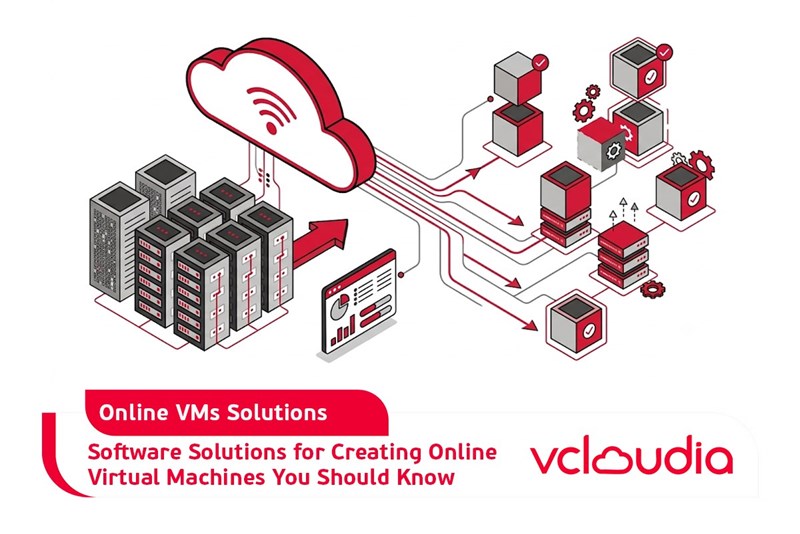
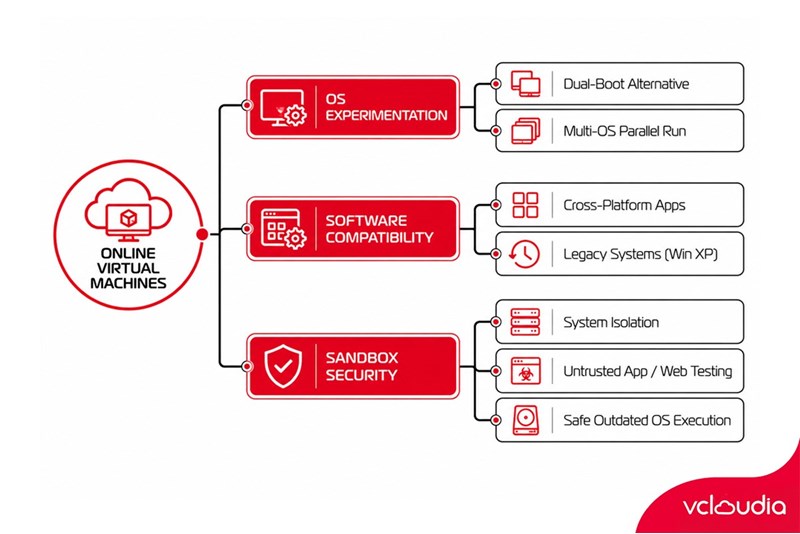
Creating an online virtual machine allows you to run another computer inside an application window on the very machine you are currently using. It operates as a complete, independent computer. You can use it to experiment with different operating systems, run software that your host operating system cannot support, and test applications in a secure environment like a sandbox.
There are several solid free virtual machine (VM) applications available, making the process of creating an online virtual machine accessible to anyone. You will only need to install a VM application and have access to the installation media for the operating system you wish to deploy.
Why Would You Want to Create an Online Virtual Machine?
Creating an online virtual machine offers users several serious use cases. Setting up an online virtual machine allows you to experiment with a different operating system without having to install it directly on your physical hardware. For example, it is an excellent way for you to run two operating systems - such as Linux and Windows - side by side on the same existing physical computer.
Creating an online virtual machine also provides a way to run software designed for another operating system. For instance, as a Linux or Mac user, you can install Windows inside a virtual machine to run Windows applications you might not otherwise have access to. If you want to run a newer Windows release like Windows 10 but have legacy applications that only run on XP, you can install Windows XP into a virtual machine.
Another advantage of creating an online virtual machine is that it is “sandboxed” from the rest of your system. Software inside the virtual machine cannot break out of the VM to interfere with the rest of your system. This makes virtual machines a safe environment for testing applications or websites that you do not trust or whose potential risks you are uncertain about.
Sandboxing also enables you to run insecure operating systems more safely. If you still require Windows XP for legacy applications, you can create an online virtual machine and run it there.
Software Applications for Creating Online Virtual Machines You Should Know
There are several different programs for creating online virtual machines that you can choose from, covering both free and paid options. Specifically:
VirtualBox (Windows, Linux, Mac OS X): VirtualBox is a very popular software for creating online virtual machines because it is open-source and completely free. There is no paid version of VirtualBox, meaning you do not have to deal with typical upsells and nagging prompts to “upgrade for more features.” VirtualBox performs very well, especially on Windows and Linux where there is less competition, making it a great starting point for virtual machines.
VirtualBox Online Virtual Machine Creation Software
VMware Player (Windows, Linux): VMware offers its own line of software for creating online virtual machines. You can use VMware Player on Windows or Linux as a basic, free virtual machine tool. More advanced capabilities - including many features found in the free VirtualBox - require upgrading to the paid VMware Workstation program. If you are looking for software to create an online virtual machine, we recommend starting with VirtualBox. However, if it does not work properly for your needs, you may want to try VMware Player to build your own online virtual machine. Experience and evaluate them firsthand.
VMware Fusion (Mac OS X): Mac users must purchase VMware Fusion to use VMware products, as the free VMware Player is not available on Mac. However, VMware Fusion is more polished.
Parallels Desktop (Mac OS X): Parallels Desktop is also available for Mac computers. Both Parallels Desktop and VMware Fusion for Mac are sleeker than virtual machine programs on other platforms, as they are marketed toward mainstream Mac users who may want to run Windows software. This is another software solution for creating online virtual machines on Mac that you should consider.
While VirtualBox works very well on Windows and Linux, Mac users may prefer purchasing Parallels Desktop or VMware Fusion. Windows and Linux tools like VirtualBox and VMware Player tend to target a more tech-savvy audience.
Of course, in reality, there are many other options for creating online virtual machines. Linux includes KVM, a built-in virtualization solution. Professional and Enterprise editions of Windows 8 and 10 include Microsoft’s Hyper-V. While these solutions can perform well, they do not feature the most user-friendly interfaces. Therefore, you should weigh your options carefully when choosing among these virtual machine software solutions.
Conclusion
With the support of the aforementioned software solutions for creating online virtual machines, setting up a VM tailored to your operational needs is straightforward. It enables you to handle far more workloads than relying solely on a single standard computer.
Vcloudia Cloud Server – The Cloud You Can Count On
If you're concerned about the potential limitations of Cloud Servers, Cloud Server by Vcloudia is a reliable solution for businesses of all sizes. With a modern infrastructure and comprehensive customer support, Vcloudia delivers a cloud experience with:
- Powerful connectivity to ensure stable 24/7 access
- Advanced security standards, compliant with international certifications such as ISO 27001:2013, ISO 20000:2018, ISO 9001:2015
- Flexible pricing packages tailored to your specific business needs
- Expert technical support, making migration and system deployment fast, safe, and compatible
Contact information:
- Hotline: +855 888 55 66 08 (free of charge)
- Fanpage: https://www.facebook.com/vcloudia/
- Website: https://vcloudia.com
Related news
What is SD-WAN? Technology and Practical Applications
SD-WAN addresses the increasing enterprise demands driven by IoT, SaaS, and Cloud alongside escalating cybersecurity needs, where applications demand prioritization and optimization while enterprises require reductions in deployment costs, operational labor, and time.
What is a free domain name? Should you use one?
A free domain name is a service provided by domain registrars that allows users to register and use a domain without incurring any costs. For an individual or a business, a website domain name is an extremely crucial factor. So, how can you register a free domain? Should you use a domain name that incurs no cost?
Comparing DigitalOcean, Linode, and Vultr VPS: Which Is the Right Choice for Your Business?
A Virtual Private Server means your website will have all the necessary power to handle your growing traffic. Likewise, if you are a developer, this added flexibility might be all you need to take your application ahead of the competition. However, to be the best, you need to work with the best.
What is ASP.NET? How to Analyze the Core Operational Architecture of the ASP.NET Platform
What is ASP.NET? It is an open-source platform chosen by software developers worldwide. The program offers superior utilities along with a distinctive approach to language utilization.
How to choose a server configuration for a business?
Choosing the right cloud configuration for your enterprise is a pivotal factor that helps optimize budgets, enhance operational performance, and ensure the system remains resilient against any changes. If the configuration is oversized, you waste valuable resources; if it is undersized, the system easily overloads, disrupting services.
Demystifying Cloud Security - The Cloud Security Trend Trusted by Enterprises
Cloud security, also known as cloud computing security, protects cloud-based systems, data, and infrastructure. Cloud security services provide cloud security solutions configured to protect data, support regulatory compliance, safeguard customer privacy, and set authentication rules for individual users and devices.
6 Benefits of Creating Virtual Machines That Users Cannot Ignore
Are you interested in creating virtual machines and want to learn more about their role? Creating a virtual machine is highly suitable for individuals or businesses involved in programming or information technology in general due to its usefulness. Creating a virtual machine helps enhance security, facilitates testing, and limits the spread of viruses.
What is a Web Portal? A comprehensive guide to essential knowledge about Web Portals
In practice, a Web Portal is a specially designed website that serves as a single point of access for updating information. However, many users are still vague about what a Web Portal is. So, what exactly is a Web Portal?
What is VXLAN? Everything about VXLAN that users should not ignore
Today, the emergence of VXLAN technology has brought many benefits to users compared to traditional VLAN technology. So what exactly is VXLAN? What makes this technology worth users' attention?