



.png)



















.png)





What is Cloud Desktop? Learn about Cloud Desktop from A to Z
Aug 24, 2026Cloud Desktop is progressively becoming a favored new technology trend for many businesses, thanks to its significant flexibility and cost-saving potential. Beyond being merely a digital transformation solution, Cloud Desktop serves as a "secret weapon" enabling businesses to optimize their operations and maintain a competitive edge. So, what exactly is Cloud Desktop? Let's delve into it right away in the article below.
What is Cloud Desktop?
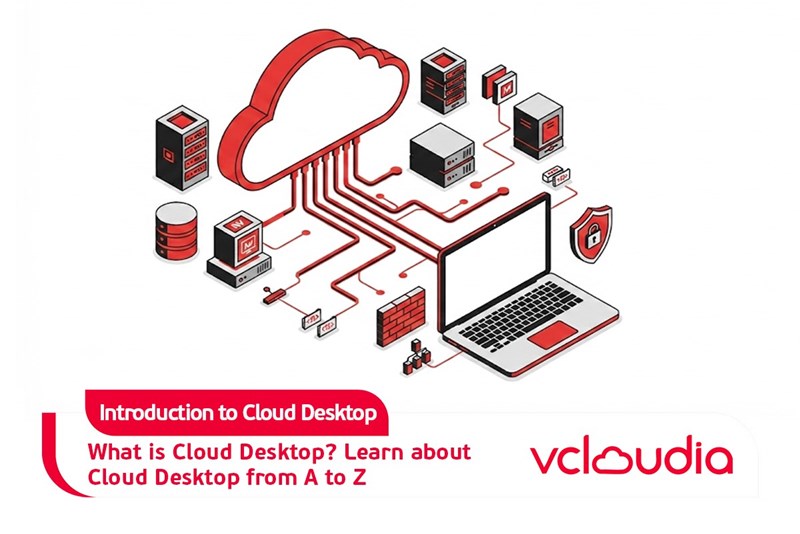
Cloud Desktop, also known as a virtual computer, is a technology service that grants users access to a complete computer interface from any location and using any device, provided there's an internet connection. For instance, an employee can effortlessly connect to their office workstation from home via a personal laptop or even a tablet. Rather than relying on fixed physical hardware, Cloud Desktop operates on a cloud infrastructure, offering both adaptability and ease of management.
Benefits of Cloud Desktop for businesses
In an era of constantly advancing technology, Cloud Desktop acts as an "effective assistant" that helps businesses boost productivity and adapt to emerging work trends. Below are the notable advantages that Cloud Desktop provides:
Cost savings
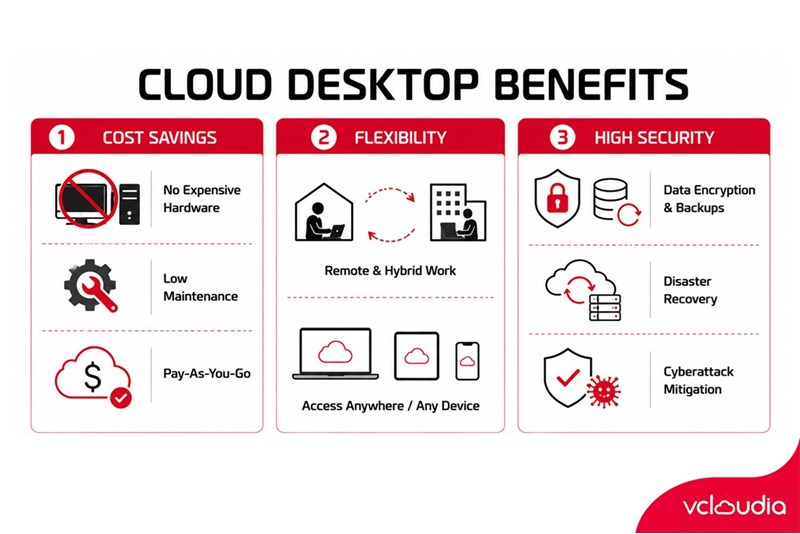
Cloud Desktop enables businesses to significantly cut down on expenses when compared to utilizing traditional computers. There's no longer a need to invest in expensive hardware or incur periodic maintenance costs; instead, businesses only pay fees based on their actual usage requirements.
According to a report by Gartner, transitioning to Cloud Desktop can lead to a 30-50% reduction in operational costs within the initial five years. This model also offers high flexibility, allowing businesses to readily adjust their scale and budget to align with shifting market conditions.
Increased flexibility
Cloud Desktop empowers employees to access their work computers from anywhere, on any device, as long as an internet connection is available. This not only enhances remote work efficiency but also supports flexible work models, such as hybrid arrangements (combining office and remote work). With Cloud Desktop, the working process is no longer confined by physical space or specific devices.
High security
Business data receives improved protection with Cloud Desktop, courtesy of advanced technologies like data encryption, automated backups, and rapid disaster recovery capabilities. Furthermore, the security systems on the cloud platform are frequently updated, which helps minimize the risk of cyberattacks or data loss caused by user error.
In summary, Cloud Desktop offers advantages not only in terms of cost, flexibility, and security but also assists businesses in optimizing operations and quickly adapting to the contemporary work environment. Given these superior benefits, Cloud Desktop has emerged as an ideal solution for organizations seeking innovation and efficiency in the digital age.
Comparing Cloud Desktop with traditional computers
Below is a detailed comparison table outlining the differences between Cloud Desktop and traditional computers, designed to help businesses make informed decisions:
Conclusion
Through the comparison table above, Cloud Desktop clearly demonstrates a significant advantage, particularly for businesses undergoing digital transformation and demanding high flexibility. Nevertheless, the choice between Cloud Desktop and traditional computers ultimately hinges on the specific needs and priorities of each individual business.
If a business prioritizes flexibility, cost optimization, and easy scalability, Cloud Desktop presents itself as the optimal solution. Conversely, traditional computers will be more suitable for organizations that require stability and direct control over their systems. A comprehensive understanding of the pros and cons of each solution will empower businesses to make the most appropriate decisions for their long-term growth.
Looking for a high-performance, secure solution?
Explore the services offered by Vcloudia – a leading provider of Cloud Computing and Data Center solutions. Contact us for expert consultation and find the right model for your needs:
- Hotline: +855 888 55 66 08 (free of charge)
- Fanpage: https://www.facebook.com/vcloudia/
- Website: https://vcloudia.com
Featured news
Related news
What is a Snapshot? The Difference Between Snapshot and Backup
Snapshot is a familiar concept in data management and protection. In the context of the information technology boom, where data is a major asset for businesses, understanding Snapshots as well as their application is a key factor for enterprises to maximize technological efficiency.
What is a Firewall? The Role and Importance of Firewalls for Users
In the context of ever-increasing cyberattacks, system security has become a top priority for many enterprises. Alongside deploying antivirus software and controlling connection ports, firewalls are also considered a key solution to effectively enhance cybersecurity.
What is DDoS? Signs, Mitigation Strategies, and Effective Prevention
DDoS is a highly dangerous cyberattack that leaves severe consequences for enterprises. Therefore, gaining a clear understanding of DDoS attacks, as well as how to detect and prevent them, is a topic of significant interest to many.
What is a Trojan? How to Detect, Avoid, and Prevent It
A Trojan is a type of malicious code or software that can cause severe consequences to computer operations. So, what is a Trojan? How can you prevent a Trojan from infiltrating your computer? In the following article, Vcloudia will provide detailed information on these issues.
What is Cloud Backup? Classification, benefits, and limitations
Cloud Backup is a solution that plays an important role in backing up and recovering data when an incident occurs. So what exactly is Cloud Backup? Let's find out the details with Vcloudia in the following article.
What is Cloud Storage? Features and Benefits of Using It
Cloud Storage is the perfect storage solution alternative to bulky, space-consuming physical hard drives. So, what is Cloud Storage? Let's explore the details with Vcloudia through the following article.
What is an API? Characteristics and applications in website design
API, short for Application Programming Interface, is a concept no longer unfamiliar in the information technology field. So what exactly is an API and why is it so important? Let's find out with Vcloudia.
What is Node.js? Instructions on how to install Node.js on cPanel
Currently, it is easy to see that Node.js is being used by quite a lot of people. This is because Node.js can support users in running on multiple platforms and multiple devices.
What is Vultr VPS? Should you use Vultr VPS?
Vultr VPS is one of the best cloud storage solutions in the world. In this article, you will learn the concept: "What is Vultr VPS?", as well as understand its advantages and disadvantages.
Zoom Cloud Meeting: What is it? Basic Things You Should Know About Zoom Cloud Meeting
In 2020, Zoom Cloud Meeting became one of the leading video conferencing software applications. It allows you to virtually interact with colleagues when in-person meetings aren't possible, and it has also been very successful for social events.