



.png)



















.png)





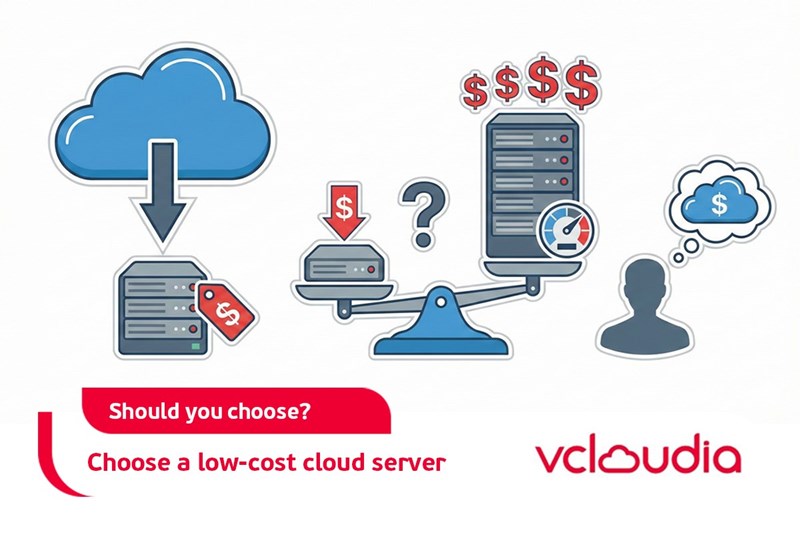
Should You Choose a Low-Cost Cloud Server?
Feb 27, 2026In today’s rapidly advancing digital era, selecting the right hosting service plays a critical role for both businesses and individuals operating online. Low-cost Cloud Servers have become a popular option, especially for those seeking cost-effective solutions while still maintaining acceptable performance. This article provides a comprehensive analysis of the advantages and disadvantages of low-cost Cloud Servers, helping you make an informed decision based on your actual needs.
What Is a Low-Cost Cloud Server?
To begin with, it is important to clearly understand what a low-cost Cloud Server is. In the cloud computing services market, pricing is often a key factor influencing customer decisions. Low-cost Cloud Servers are typically offered by providers that utilize shared-resource architectures and optimize operational costs to deliver services at the lowest possible price point. These service packages are commonly designed for startups, small businesses, or individuals who are just beginning to build their online systems.
However, “low cost” does not necessarily mean poor quality. Instead, these Cloud Server offerings focus on cost optimization to fit limited budgets while still meeting fundamental technical, security, and scalability requirements. Clearly distinguishing these criteria will help you gain a realistic perspective when deciding whether a low-cost Cloud Server is the right choice.
Advantages of Using a Low-Cost Cloud Server
Choosing a low-cost Cloud Server offers several benefits, particularly for those launching digital projects or small and medium-sized enterprises looking to optimize their budgets. Beyond cost savings, these services also provide convenience and operational flexibility. Below are some key advantages of low-cost Cloud Servers.
1. Lower Costs
Cost is the primary factor attracting users to low-cost Cloud Servers. Compared to physical servers or premium cloud solutions, budget-friendly packages significantly reduce upfront investment and monthly operating expenses. This is especially suitable for individuals or startups that lack the financial capacity for large-scale infrastructure investments.
Additionally, usage-based pricing models (pay-as-you-go) help businesses avoid fixed cost risks by paying only for the resources they actually consume. This flexibility allows organizations to adjust service capacity in line with project growth, making it easier for startups to experiment and scale when needed.
2. Easy Deployment
Providers of low-cost Cloud Servers typically streamline their service delivery to enable quick system setup and deployment. User-friendly interfaces simplify installation and configuration processes, reducing waiting times and the need for advanced technical expertise.
Moreover, users do not need to worry about hardware procurement, software upgrades, or complex operational issues, as these are managed by the service provider. This allows businesses to focus on their core activities, making low-cost Cloud Servers particularly beneficial for small teams or individuals with limited technical knowledge.
3. Suitable for Small-Scale Needs
Low-cost Cloud Servers are ideal for small to medium-sized projects where performance requirements are moderate and absolute system availability is not critical. Examples include small e-commerce websites, personal blogs, testing environments, or demo applications. With reasonable pricing, small businesses can maintain stable operations without excessive investment.
This also enables organizations to assess whether the service model suits their needs before upgrading to more expensive solutions in the future, thereby minimizing financial risks and allowing time for evaluation and adjustment.
4. Flexible Scalability in the Future
One of the key strengths of Cloud Servers—including low-cost options—is flexible scalability. While you may start with a package that fits your initial budget, upgrading resources such as storage, CPU, or bandwidth can be done easily as business needs grow, without migrating systems or incurring significant downtime.
This flexibility prevents businesses from being locked into rigid infrastructure while allowing them to leverage cloud technology for sustainable growth and optimized operational costs, especially during early stages.
Disadvantages of Using a Low-Cost Cloud Server
Despite their advantages, low-cost Cloud Servers also come with limitations that require careful consideration. Budget-oriented nodes often face constraints in performance, stability, security, or customer support, which may introduce certain operational risks.
1. Limited Performance and Stability
Low-cost Cloud Server plans are often built on older or less powerful hardware, resulting in reduced processing capability compared to premium solutions. System performance may degrade under heavy workloads or high concurrent traffic.
Additionally, shared resource environments mean that performance can be affected by other users on the same platform, potentially causing latency, service interruptions, or degraded end-user experience. While this may be acceptable for short-term or low-demand projects, it can undermine reliability for systems requiring high stability.
2. Data Security Risks
In low-cost plans, data protection and security measures are often less robust than those offered by higher-tier services. Limited infrastructure, basic security configurations, and weaker risk management policies can increase the likelihood of data breaches or loss.
Furthermore, budget providers may struggle to meet advanced security requirements or international data protection standards. Given the increasing frequency of cyberattacks, this is a critical factor that should not be overlooked.
3. Limited Technical Support
Low-cost Cloud Server providers often restrict technical support services, offering only email-based assistance, automated chat support, or slower response times. This can create challenges when resolving system issues, optimizing performance, or addressing technical concerns.
In urgent situations, the absence of prompt technical support can result in prolonged downtime, negatively impacting business operations and brand reputation. Users of such services often need to handle many technical issues independently.
4. Hidden Cost Risks
Low-cost Cloud Server services may include unclear additional fees or unexpected charges related to upgrades, scaling, or incident resolution. This makes budget planning more difficult and increases the risk of unforeseen expenses.
Poor initial configuration choices or inadequate understanding of provider policies can also lead to higher-than-expected costs, sometimes exceeding initial estimates. Careful provider selection and effective cost management are therefore essential.
Should You Choose a Low-Cost Cloud Server?
Whether a low-cost Cloud Server is the right choice depends on your objectives, requirements, and organizational capacity. This article has outlined both the benefits and limitations to help you determine whether such a solution aligns with your current situation.
If you are a small business, a startup, or running a project with moderate requirements for performance, stability, and security, a low-cost Cloud Server can be a practical option for cost savings and business experimentation. However, for mission-critical systems requiring high availability, strong security, and consistent performance, higher-end solutions should be considered.
When Should You Use a Low-Cost Cloud Server?
To maximize benefits while minimizing risks, it is important to understand the conditions under which low-cost Cloud Servers are most appropriate.
1. Clear SLA Commitments
Choosing a provider with a clearly defined Service Level Agreement (SLA) covering uptime, performance, latency, and technical support is essential. A transparent SLA helps align service expectations and reduces legal or operational risks during incidents.
2. Easy Control and Access
If you require full control over system configuration, data management, and remote access, low-cost Cloud Servers can still meet these needs. Most providers offer user-friendly management dashboards and APIs for automation, making them suitable for startups and individual developers.
3. Available Technical Support
Having access to a reliable support team is crucial, especially when using low-cost services. Businesses should prioritize providers that offer adequate customer support channels and reasonable response time commitments to ensure smooth operations.
4. Server Location and Bandwidth
Server location and available bandwidth significantly impact system performance and user experience. Selecting a Cloud Server geographically close to your target audience reduces latency and improves access speed.
For data-intensive or high-speed applications, businesses should carefully review bandwidth limits to avoid overage charges. This ensures service quality while maintaining effective budget control.
Conclusion
This article has explored the key considerations surrounding the question, “Should you choose a low-cost Cloud Server?” It has highlighted advantages such as lower costs, easy deployment, suitability for small-scale needs, and flexible scalability, alongside limitations including reduced performance, security risks, limited technical support, and potential hidden costs.
Low-cost Cloud Servers are well suited for small projects, early-stage businesses, or systems with moderate requirements. Conversely, large-scale or mission-critical applications that demand high performance, security, and availability should consider more advanced solutions.
We hope this analysis helps you make an informed decision aligned with your goals and capabilities. Choosing the right service will enable cost optimization, operational efficiency, and sustainable growth in an increasingly competitive digital environment.
Explore the services offered by Vcloudia – a leading provider of cloud computing and data center solutions. Contact us for expert consultation and find the right model for your needs:
- Hotline: +855 888 55 66 08 (free of charge)
- Fanpage: https://www.facebook.com/vcloudia/
- Website: https://vcloudia.com
Featured news
Related news
What is a Snapshot? The Difference Between Snapshot and Backup
Snapshot is a familiar concept in data management and protection. In the context of the information technology boom, where data is a major asset for businesses, understanding Snapshots as well as their application is a key factor for enterprises to maximize technological efficiency.
What is a Firewall? The Role and Importance of Firewalls for Users
In the context of ever-increasing cyberattacks, system security has become a top priority for many enterprises. Alongside deploying antivirus software and controlling connection ports, firewalls are also considered a key solution to effectively enhance cybersecurity.
What is DDoS? Signs, Mitigation Strategies, and Effective Prevention
DDoS is a highly dangerous cyberattack that leaves severe consequences for enterprises. Therefore, gaining a clear understanding of DDoS attacks, as well as how to detect and prevent them, is a topic of significant interest to many.
What is a Trojan? How to Detect, Avoid, and Prevent It
A Trojan is a type of malicious code or software that can cause severe consequences to computer operations. So, what is a Trojan? How can you prevent a Trojan from infiltrating your computer? In the following article, Vcloudia will provide detailed information on these issues.
What is Cloud Backup? Classification, benefits, and limitations
Cloud Backup is a solution that plays an important role in backing up and recovering data when an incident occurs. So what exactly is Cloud Backup? Let's find out the details with Vcloudia in the following article.
What is Cloud Storage? Features and Benefits of Using It
Cloud Storage is the perfect storage solution alternative to bulky, space-consuming physical hard drives. So, what is Cloud Storage? Let's explore the details with Vcloudia through the following article.
What is an API? Characteristics and applications in website design
API, short for Application Programming Interface, is a concept no longer unfamiliar in the information technology field. So what exactly is an API and why is it so important? Let's find out with Vcloudia.
What is Node.js? Instructions on how to install Node.js on cPanel
Currently, it is easy to see that Node.js is being used by quite a lot of people. This is because Node.js can support users in running on multiple platforms and multiple devices.
What is Vultr VPS? Should you use Vultr VPS?
Vultr VPS is one of the best cloud storage solutions in the world. In this article, you will learn the concept: "What is Vultr VPS?", as well as understand its advantages and disadvantages.
Zoom Cloud Meeting: What is it? Basic Things You Should Know About Zoom Cloud Meeting
In 2020, Zoom Cloud Meeting became one of the leading video conferencing software applications. It allows you to virtually interact with colleagues when in-person meetings aren't possible, and it has also been very successful for social events.