



.png)



















.png)





Does a physical server require maintenance? Standard process guide from A-Z
Jun 30, 2026Investing in expensive servers but neglecting periodic maintenance is a mistake that leaves many businesses facing the disaster of system failure and data loss. So, does a physical server actually need maintenance? In the article below, Vcloudia will clarify the importance of this work, while providing a precise care process to keep your infrastructure running safely and durably.
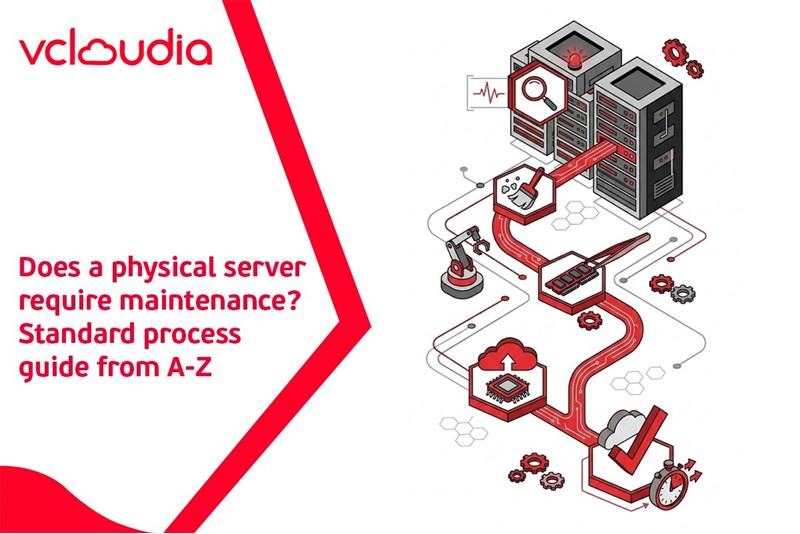
Expert Answer: Does a physical server require maintenance?
Certainly, it does, and this is by no means an optional task but a mandatory, mission-critical requirement for every business.
In essence, no matter how advanced the technology it is equipped with, a server remains a physical machine. When tasked with carrying a massive volume of data and operating continuously 24/7, this system is inevitably subjected to harsh impacts from the operating environment. The accumulation of dust on circuit boards, the continuous heat increase from processors, and the natural wear and tear of electronic components over time are unavoidable. Therefore, intervention through periodic maintenance measures is the only way to maintain the perfect operational state for the entire platform.
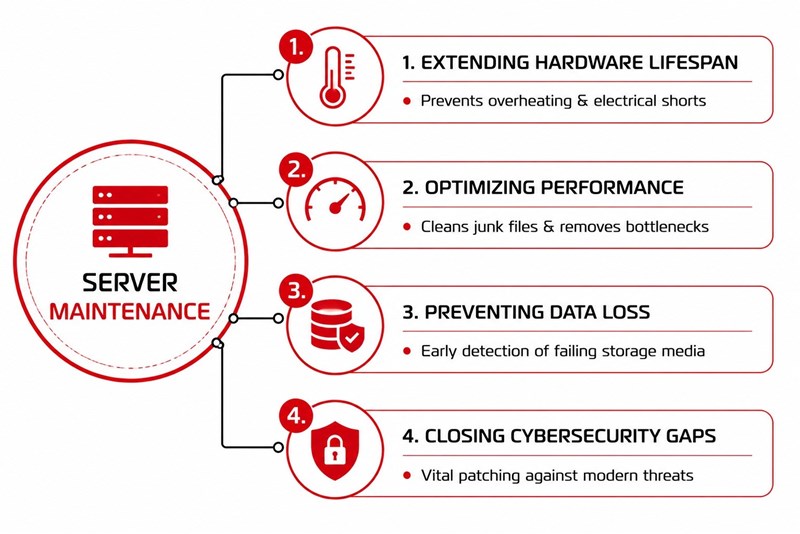
4 Critical Reasons Why Periodic Server Maintenance is Mandatory
Extending Hardware Lifespan
Business servers always come with extremely high initial investment costs. Regularly cleaning dust, replacing thermal paste, and checking the connection status of components will help the system avoid overheating, which can cause short circuits. This meticulous care process contributes to maximizing the equipment's service life, thereby helping organizations significantly reduce capital reinvestment for purchasing new hardware.
Optimizing Performance and Processing Speed
Over time, the system automatically generates a series of junk files, redundant cache memory, and potential software errors. Maintenance work helps administrators thoroughly clean up these wasted resources, fine-tune configurations, and free up storage space. As a result, the server consistently maintains smooth processing speeds, eliminates physical bottlenecks, and ensures the highest possible uptime metrics.
Preventing Data Loss Disasters
Data is the priceless asset of every business organization. Periodic system health checks help technical teams quickly detect signs of anomalies in storage devices, such as faulty partitions or hard drives at risk of mechanical failure. This early diagnostic intervention creates a golden window for businesses to perform emergency information backups, permanently preventing unrecoverable data loss disasters.
Closing Cybersecurity Gaps
In an environment where cyberattacks are becoming increasingly sophisticated, letting systems run on outdated software platforms is akin to opening the door to hackers. The server maintenance process always includes reviewing and continuously updating the latest security patches from the manufacturer. This operation helps close all potential security vulnerabilities, erecting a solid shield to protect the core platform from the risk of intrusion and ransomware.
Detailed Physical Server Maintenance Checklist for Administrators
To fully address the question of whether a physical server requires maintenance, the technical team needs to adhere to a strict inspection process consisting of the following four core steps:
Step 1: Physical Infrastructure and Hardware Maintenance
This is the stage involving direct interaction with the equipment. Administrators need to remove the chassis, use specialized blowers to clean all dust accumulated on the motherboard and slots. Next, reapply thermal paste to the central processor cluster to ensure optimal heat transfer capability. Do not forget to check the integrity of all power and network cables and carefully observe the status of the integrated error warning LEDs directly on the machine body.
Step 2: Platform Software Maintenance and Updates
Physical power must be accompanied by a healthy software brain. The IT team needs to schedule operating system updates to the latest version while simultaneously performing firmware upgrades for the motherboard and expansion cards. In parallel, reviewing and installing emergency security patches is a mandatory operation to prevent the risk of hackers exploiting system vulnerabilities.
Step 3: Storage Capacity Optimization
Full hard drives are a leading cause of system freezes. Administrators are responsible for reviewing and deleting old system log files and uninstalling software that is no longer in use to thoroughly free up storage space. Most importantly, randomly check the integrity of the most recent data backups to ensure they are always ready for recovery should an incident occur.
Step 4: Operating Environment Inspection
A healthy machine cannot be placed in a stifling room. Re-evaluating the cold airflow cooling the server rack space, measuring the actual server room temperature, and conducting load-shedding drills for the UPS (Uninterruptible Power Supply) are indispensable operations to maintain an ideal operating environment.
How Often Should Server Systems Be Maintained?
Maintenance frequency depends heavily on the scale and importance of the system, but in general, administrators should adhere to the following distribution schedule:
- Daily monitoring tasks: Continuously track network bandwidth usage charts, check processor core temperatures, and observe error warnings on the centralized management software.
- Monthly tasks: Perform software patch updates, recheck hard drive capacity, and analyze system log files to detect early signs of anomalies.
- Quarterly or annual tasks: Plan for machine shutdowns (Downtime) to perform in-depth physical hardware cleaning, reapply thermal paste, and perform a comprehensive assessment of the wear and tear of mechanical components.
Frequently Asked Questions (FAQ) About Server Maintenance
How much time does server hardware maintenance take?
The execution time depends on the system scale and the level of intervention. Software checks typically take only 30 to 60 minutes. Meanwhile, dismantling for in-depth physical cleaning can take from 2 to 4 hours per server cluster.
During maintenance, will the business system be interrupted?
If the organization has not yet established a redundant architecture, hardware maintenance will certainly require powering down and will cause service interruption. However, if you have deployed a parallel running model, technicians can switch the processing flow to the secondary server cluster, helping maintain 100% uptime throughout the maintenance process.
Self-maintain at the office or seek professional Data Center services?
Faced with the burden of operation, many organizations still maintain the habit of placing machines at the office. However, self-dismantling at an internal facility carries countless unpredictable risks. IT teams often lack specialized anti-static tools, easily causing short circuits on boards during operation. Moreover, office spaces completely lack standard isolated cold airflow, causing equipment to quickly accumulate dust and suffer reduced lifespans.
Conclusion
Physical server care is never an optional add-on, but rather the solid shield protecting the survival of data assets for every organization. By strictly adhering to hardware maintenance schedules and continuously updating software platforms, businesses will maximize equipment life, maintain peak performance, and thoroughly prevent sudden service interruption disasters.
Looking for a high-performance, secure solution?
Explore the services offered by Vcloudia – a leading provider of Cloud Computing and Data Center solutions. Contact us for expert consultation and find the right model for your needs:
- Hotline: +855 888 55 66 08 (free of charge)
- Fanpage: https://www.facebook.com/vcloudia/
- Website: https://vcloudia.com
Featured news
Related news
What is a Snapshot? The Difference Between Snapshot and Backup
Snapshot is a familiar concept in data management and protection. In the context of the information technology boom, where data is a major asset for businesses, understanding Snapshots as well as their application is a key factor for enterprises to maximize technological efficiency.
What is a Firewall? The Role and Importance of Firewalls for Users
In the context of ever-increasing cyberattacks, system security has become a top priority for many enterprises. Alongside deploying antivirus software and controlling connection ports, firewalls are also considered a key solution to effectively enhance cybersecurity.
What is DDoS? Signs, Mitigation Strategies, and Effective Prevention
DDoS is a highly dangerous cyberattack that leaves severe consequences for enterprises. Therefore, gaining a clear understanding of DDoS attacks, as well as how to detect and prevent them, is a topic of significant interest to many.
What is a Trojan? How to Detect, Avoid, and Prevent It
A Trojan is a type of malicious code or software that can cause severe consequences to computer operations. So, what is a Trojan? How can you prevent a Trojan from infiltrating your computer? In the following article, Vcloudia will provide detailed information on these issues.
What is Cloud Backup? Classification, benefits, and limitations
Cloud Backup is a solution that plays an important role in backing up and recovering data when an incident occurs. So what exactly is Cloud Backup? Let's find out the details with Vcloudia in the following article.
What is Cloud Storage? Features and Benefits of Using It
Cloud Storage is the perfect storage solution alternative to bulky, space-consuming physical hard drives. So, what is Cloud Storage? Let's explore the details with Vcloudia through the following article.
What is an API? Characteristics and applications in website design
API, short for Application Programming Interface, is a concept no longer unfamiliar in the information technology field. So what exactly is an API and why is it so important? Let's find out with Vcloudia.
What is Node.js? Instructions on how to install Node.js on cPanel
Currently, it is easy to see that Node.js is being used by quite a lot of people. This is because Node.js can support users in running on multiple platforms and multiple devices.
What is Vultr VPS? Should you use Vultr VPS?
Vultr VPS is one of the best cloud storage solutions in the world. In this article, you will learn the concept: "What is Vultr VPS?", as well as understand its advantages and disadvantages.
Zoom Cloud Meeting: What is it? Basic Things You Should Know About Zoom Cloud Meeting
In 2020, Zoom Cloud Meeting became one of the leading video conferencing software applications. It allows you to virtually interact with colleagues when in-person meetings aren't possible, and it has also been very successful for social events.