



.png)



















.png)





Do you need DevOps to operate a Cloud Server? Analysis from deployment reality
May 29, 2026In recent years, Cloud Server has become a popular infrastructure platform for most IT systems, from small business websites to large-scale applications. However, along with the flexibility and scalability of the Cloud comes an increasingly complex operational problem. Many organizations raise the question: is DevOps needed to operate a Cloud Server, or is a traditional IT team sufficient? This article by Vcloudia will analyze the issue from the perspective of deployment reality, helping you clearly understand when DevOps is not mandatory and when DevOps becomes a key factor.
What is a Cloud Server?
A Cloud Server is a virtual server deployed on cloud computing infrastructure, allowing users to initialize, configure, scale up, or scale down resources flexibly through a management platform. Unlike a traditional physical server, a Cloud Server is not strictly tied to fixed hardware but operates based on dynamically allocated resources from the cloud system.
The greatest strength of a Cloud Server lies in its ability to scale quickly, deploy instantly, and optimize costs according to usage. However, this very flexibility also makes the operation no longer as simple as managing a single physical server. As the number of servers, services, and environments increases, the risks of misconfiguration, downtime, or difficulty in controlling changes also increase.
What is DevOps?
DevOps is not merely a job position or a set of tools, but rather an operational model that combines software development (Development) and system operations (Operations). The core goal of DevOps is to shorten the software deployment lifecycle, increase system stability, and reduce conflicts between technical teams.
In the Cloud context, DevOps plays the role of connecting code, infrastructure, and operations. Instead of manual deployment, DevOps promotes automation, standardization, and continuous monitoring, helping the cloud system operate more efficiently and sustainably.
Do you need DevOps to operate a Cloud Server?
Cases where DevOps is not strictly necessary
For small systems, such as introduction websites, landing pages, or simple internal applications, a Cloud Server is often used like a traditional VPS. In this case, the update frequency is low, the number of servers is small, and the risk of downtime does not greatly affect the business, so manual operation is still acceptable. Additionally, if the technical team has experience, the system changes infrequently, and it does not require flexible scaling, DevOps is not a mandatory priority right from the start.
Cases where DevOps should be present to operate a Cloud Server
When the system begins to expand, has multiple environments (development, staging, production), updates frequently, or serves real users, DevOps almost becomes an indispensable factor. Especially with microservices systems, SaaS applications, or e-commerce platforms, manual deployment and operation will quickly reveal limitations. At this stage, DevOps not only helps reduce human errors but also ensures the consistency, scalability, and stability of the Cloud Server system.
The role of DevOps in Cloud Server operations
Deployment automation (CI/CD)
CI/CD is one of the most important pillars of DevOps. Instead of deploying each version manually, a CI/CD pipeline allows for automated building, testing, and deploying of applications onto a Cloud Server. This helps minimize configuration errors, increases release speed, and makes it easy to rollback when an incident occurs. In a cloud environment, where resources can change continuously, CI/CD helps ensure that every deployment is repeatable and controllable.
Infrastructure management through code (Infrastructure as Code)
Infrastructure as Code (IaC) allows describing the entire Cloud Server infrastructure with code instead of manual operations on an interface. Thanks to this, creating new, editing, or terminating servers becomes quick, has version control, and is easy to audit. IaC is especially important when the cloud system expands, helping to avoid inconsistent server configurations and reducing the risk of environmental drift.
Monitoring, logging, and proactive alerting
DevOps focuses not only on deployment but also emphasizes long-term operation. Monitoring, logging, and alert systems help early detection of performance, resource, or security issues before users are affected. With a Cloud Server, where resources are billed according to usage, good monitoring also helps optimize costs and avoid unnecessary waste.
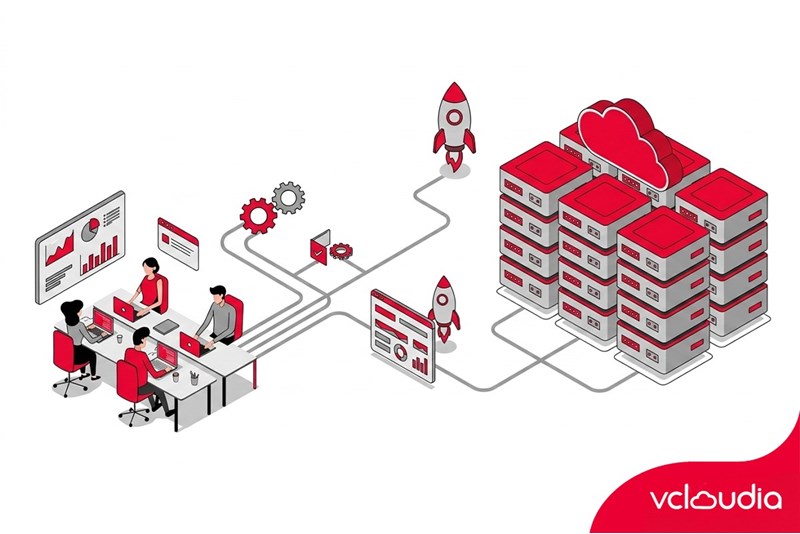
Comparison of Cloud Server operations with and without DevOps
When do businesses need DevOps for a Cloud Server?
Businesses do not necessarily have to wait until the system is overloaded to think about DevOps. In fact, DevOps should be considered as soon as a Cloud Server starts playing an important role in business operations, especially in systems directly related to revenue, customers, or core data.
Some common signs indicating that a business has reached the right time to adopt DevOps include:
- The frequency of application deployments is increasing, with each update having to be done manually and prone to errors.
- Downtime, although short, clearly affects the user experience.
- The technical team continuously handles recurring incidents but has no time to improve the system.
Furthermore, if the business is expanding its scale rapidly (adding users, adding services, adding staging/production environments), continuing to operate the Cloud in the traditional way will cause personnel costs, the risk of errors, and troubleshooting time to increase exponentially. Adopting DevOps early helps control complexity right from the beginning, instead of firefighting when the system has grown out of control.
The roadmap for adopting DevOps for a Cloud Server system
Stage 1 - Standardizing Cloud operations
This is the most important foundation before discussing automation. In this stage, the business focuses on standardizing the entire Cloud Server environment: how to create servers, network structure, access decentralization, deployment processes, and configuration conventions. The goal is to eliminate actions based on personal habits and reduce reliance on a few key engineers.
Cloud resources need to be managed centrally, with clear documentation and strict access control. Once the environment is unified, training new personnel, expanding the system, or handing over operations will be much easier.
Stage 2 - Partial automation
After standardizing, the business begins automating repetitive tasks that are prone to manual errors. Instead of deploying applications by hand, CI/CD pipelines are established to build, test, and deploy automatically. Activities such as data backup, resource scaling, and performance monitoring are also integrated with supportive tools.
Stage 3 - Complete DevOps and continuous optimization
When automation has become the standard, DevOps is no longer just a set of tools but becomes an operational culture. The development and operations teams coordinate closely, taking joint responsibility for system quality from the time of writing code to when it runs on the Cloud Server. In this stage, the system is monitored continuously with logging, monitoring, and proactive alerting.
Metrics on performance, stability, and Cloud costs are analyzed regularly for optimization. Improvements take place in short cycles, keeping the Cloud Server system always ready, flexible, and adaptable to continuously changing business needs.
Conclusion
DevOps is not always mandatory to operate a Cloud Server, but for systems with a long-term development orientation, DevOps is almost an inevitable choice. Adopting DevOps at the right time helps businesses maximize the benefits of the Cloud, reduce operational risks, and create a solid foundation for growth.
Vcloudia Cloud Server – The Cloud You Can Count On
If you're concerned about the potential limitations of Cloud Servers, Cloud server by Vcloudia is a reliable solution for businesses of all sizes. With a modern infrastructure and comprehensive customer support, Vcloudia delivers a cloud experience with:
- Powerful connectivity to ensure stable 24/7 access
- Advanced security standards, compliant with international certifications such as ISO 27001:2013, ISO 20000:2018, ISO 9001:2015
- Flexible pricing packages tailored to your specific business needs
- Expert technical support, making migration and system deployment fast, safe, and compatible
Contact information:
- Hotline: +855 888 55 66 08 (free of charge)
- Fanpage: https://www.facebook.com/vcloudia/
- Website: https://vcloudia.com
Featured news
Related news
What is a Snapshot? The Difference Between Snapshot and Backup
Snapshot is a familiar concept in data management and protection. In the context of the information technology boom, where data is a major asset for businesses, understanding Snapshots as well as their application is a key factor for enterprises to maximize technological efficiency.
What is a Firewall? The Role and Importance of Firewalls for Users
In the context of ever-increasing cyberattacks, system security has become a top priority for many enterprises. Alongside deploying antivirus software and controlling connection ports, firewalls are also considered a key solution to effectively enhance cybersecurity.
What is DDoS? Signs, Mitigation Strategies, and Effective Prevention
DDoS is a highly dangerous cyberattack that leaves severe consequences for enterprises. Therefore, gaining a clear understanding of DDoS attacks, as well as how to detect and prevent them, is a topic of significant interest to many.
What is a Trojan? How to Detect, Avoid, and Prevent It
A Trojan is a type of malicious code or software that can cause severe consequences to computer operations. So, what is a Trojan? How can you prevent a Trojan from infiltrating your computer? In the following article, Vcloudia will provide detailed information on these issues.
What is Cloud Backup? Classification, benefits, and limitations
Cloud Backup is a solution that plays an important role in backing up and recovering data when an incident occurs. So what exactly is Cloud Backup? Let's find out the details with Vcloudia in the following article.
What is Cloud Storage? Features and Benefits of Using It
Cloud Storage is the perfect storage solution alternative to bulky, space-consuming physical hard drives. So, what is Cloud Storage? Let's explore the details with Vcloudia through the following article.
What is an API? Characteristics and applications in website design
API, short for Application Programming Interface, is a concept no longer unfamiliar in the information technology field. So what exactly is an API and why is it so important? Let's find out with Vcloudia.
What is Node.js? Instructions on how to install Node.js on cPanel
Currently, it is easy to see that Node.js is being used by quite a lot of people. This is because Node.js can support users in running on multiple platforms and multiple devices.
What is Vultr VPS? Should you use Vultr VPS?
Vultr VPS is one of the best cloud storage solutions in the world. In this article, you will learn the concept: "What is Vultr VPS?", as well as understand its advantages and disadvantages.
Zoom Cloud Meeting: What is it? Basic Things You Should Know About Zoom Cloud Meeting
In 2020, Zoom Cloud Meeting became one of the leading video conferencing software applications. It allows you to virtually interact with colleagues when in-person meetings aren't possible, and it has also been very successful for social events.